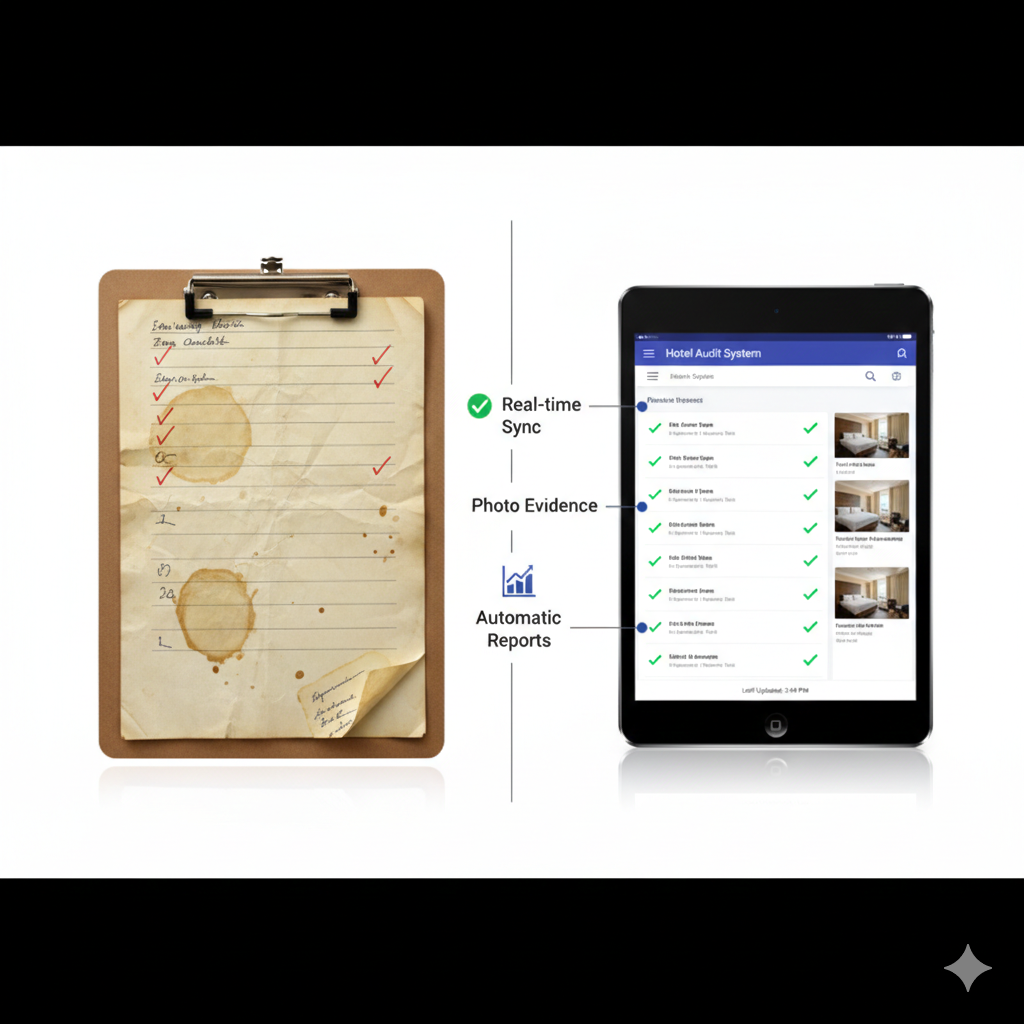

The clipboard has been a hospitality management staple for decades. Walk through any hotel or restaurant, and you will see managers carrying paper checklists, marking checkboxes with pen, and filing completed audits in three-ring binders.
This system feels familiar. It feels low-cost. It feels simple.
It is also costing you thousands of dollars annually in hidden inefficiency, compliance risk, and lost operational intelligence.
The transition from paper audits to digital audit systems represents more than technology adoption. It represents operational transformation. But the decision requires objective analysis, not vendor marketing claims.
This comprehensive comparison examines every dimension of paper versus digital audits: costs, efficiency, accuracy, analytics, compliance, storage, staff adoption, and implementation. Real numbers, documented benefits, and honest assessment of challenges included.
Understanding the True Cost of Paper Audits
Paper audits appear inexpensive because direct costs are minimal. But total cost of ownership (TCO) reveals hidden expenses.
Pro Tip from the Floor: “I thought we were saving money by sticking with paper audits. Then I calculated the hours my QA (quality assurance) team spent transcribing, filing, and searching for historical data. We were spending 40 staff hours per month on audit administration. That is $2,400 monthly at $60/hour loaded labor cost. Digital systems paid for themselves in three months.” — David M., Director of Quality Assurance, 22-property hotel group
Direct Costs of Paper Audit Systems
Materials:
- Paper costs: $0.05-0.10 per page
- Printing costs: $0.08-0.15 per page (toner, equipment depreciation)
- Clipboards: $5-15 each
- Binders and filing supplies: $3-8 per binder
- Storage boxes: $2-5 per box
- Physical storage space: Variable (dedicated filing room or off-site storage)
Example Calculation (100-Room Hotel):
- 5 audit templates × 3 pages each = 15 pages per audit
- 4 audits per week × 52 weeks = 208 audits annually
- 208 audits × 15 pages = 3,120 pages per year
- Material cost: 3,120 × $0.15 = $468 annually
- Plus binders, storage supplies, equipment depreciation = $600-800 annually
Labor Costs (Hidden Expense):
- Transcription into spreadsheets: 15-30 minutes per completed audit
- Filing and organization: 5-10 minutes per audit
- Searching for historical audits: 10-20 minutes per search
- Compiling reports: 2-4 hours per monthly report
Example Calculation (100-Room Hotel):
- 208 audits × 25 minutes average processing = 5,200 minutes (86.7 hours)
- 86.7 hours × $60/hour loaded cost = $5,202 annually in processing labor
- Monthly reporting: 3 hours × 12 months = 36 hours
- 36 hours × $60/hour = $2,160 annually in reporting labor
- Total labor cost: $7,362 annually
Total Paper Audit TCO: $8,000-8,200 annually for a single 100-room property conducting basic audit program (4 audits/week).
Direct Costs of Digital Audit Systems
Software Subscription:
- Entry-level systems: $100-300 per property/month
- Mid-tier systems: $300-600 per property/month
- Enterprise systems: $600-1,200+ per property/month
- Per-user pricing: $20-60 per user/month (alternative model)
Implementation Costs:
- Initial setup and configuration: $500-2,000
- Template migration and customization: $200-1,000
- Staff training: $300-800
- Integration with property management systems (PMS): $500-3,000 (if required)
Hardware Costs (One-Time):
- Tablets or mobile devices: $200-600 per device
- Protective cases: $30-80 per device
- Charging stations: $50-150
Example Calculation (100-Room Hotel):
- Mid-tier subscription: $400/month = $4,800 annually
- Implementation (one-time): $1,500
- 3 tablets with cases: $1,000 (one-time)
- Year 1 total: $7,300
- Year 2+ total: $4,800 annually
ROI Crossover Point: Digital systems become cost-neutral in Year 1 and significantly cheaper in Year 2+, before accounting for operational benefits.
Efficiency Comparison: Time Is Money
Labor efficiency differences between paper and digital audits compound over time.
Paper Audit Timeline
Typical Paper Audit Workflow:
- Print blank audit template (2-3 minutes)
- Conduct physical inspection (30-60 minutes, depending on audit scope)
- Write findings in longhand on paper (embedded in inspection time)
- Return to office and transcribe findings into spreadsheet (15-30 minutes)
- File paper copy in binder (5 minutes)
- Create work orders manually for findings (10-20 minutes)
- Follow up on work orders separately (ongoing)
Total Time Investment: 60-120 minutes per completed audit (inspection + administration)
Digital Audit Timeline
Typical Digital Audit Workflow:
- Open mobile app and select audit template (30 seconds)
- Conduct physical inspection with tablet/phone (30-60 minutes, same as paper)
- Type or dictate findings directly into app (embedded in inspection time)
- Photograph issues for documentation (embedded in inspection time)
- Automatically generate work orders from failed items (automated)
- Digital filing and storage (automated)
- Follow up tracking through dashboard (real-time visibility)
Total Time Investment: 30-60 minutes per completed audit (inspection only, administration automated)
Time Savings: 30-60 minutes per audit
Pro Tip from the Floor: “We conduct 12 audits per week across our restaurant locations. Digital audits saved us 8 hours weekly in administrative work. That is 416 hours annually. We redeployed that time to increasing audit frequency from weekly to twice-weekly, doubling our quality oversight without adding staff.” — Jennifer L., VP of Operations, regional restaurant chain
Efficiency Multipliers
Digital systems create compound efficiency gains beyond time savings.
Real-Time Work Order Generation:
- Paper: Manager reviews audit, manually creates work orders in maintenance system (10-20 minutes per audit)
- Digital: Failed audit items automatically generate work orders with photos and descriptions (instant)
Report Generation:
- Paper: Compile data from multiple audits, create charts manually (2-4 hours per report)
- Digital: Automated dashboards with real-time data visualization (instant)
Historical Data Access:
- Paper: Search through binders or storage boxes (10-20 minutes per search)
- Digital: Search function with filters and date ranges (10-30 seconds per search)
Trend Analysis:
- Paper: Manually extract data points from multiple audits, create spreadsheets (4-8 hours per analysis)
- Digital: Built-in analytics with trend charts and comparison tools (5-10 minutes per analysis)
Accuracy and Data Quality Comparison
Audit data is only valuable if accurate and complete.
Paper Audit Accuracy Challenges
Common Paper Audit Quality Issues:
- Illegible Handwriting - 15-25% of paper audits contain entries that require clarification or are indecipherable during transcription
- Incomplete Entries - Auditors skip sections, leave fields blank, or provide insufficient detail (no enforcement mechanism)
- Transcription Errors - Manual data entry introduces 1-5% error rate depending on transcriber attention and handwriting clarity
- Inconsistent Terminology - Different auditors use different terms for same issues, preventing standardized analysis
- Lost or Damaged Forms - Coffee spills, torn pages, misplaced clipboards, and water damage compromise data integrity
- Date and Time Uncertainties - Handwritten timestamps may be inaccurate or altered after fact
Pro Tip from the Floor: “We audited our paper audit quality by having two people independently transcribe the same 20 completed paper audits. They produced different data sets 18% of the time due to handwriting interpretation differences. Our compliance data was based on inaccurate transcription, not actual property conditions.” — Mark T., Quality Assurance Manager, hotel management company
Digital Audit Accuracy Advantages
Digital System Quality Controls:
- Mandatory Field Enforcement - System requires completion of critical fields before auditor can proceed or submit
- Standardized Terminology - Drop-down menus and predefined options eliminate terminology inconsistency
- Automatic Timestamps - System logs exact date, time, and GPS location (latitude and longitude coordinates) for each audit
- Photo Documentation - Visual evidence attached to findings eliminates ambiguity
- Data Validation Rules - System prevents impossible entries (e.g., temperatures outside acceptable ranges, date conflicts)
- Audit Trail - Complete record of who completed audit, when, where, and any subsequent edits
- Electronic Signatures - Digital signatures with timestamp authentication prevent repudiation
Measured Accuracy Improvement: Research on digital audit adoption across multiple hospitality operations demonstrates:
- 40-60% reduction in incomplete audit submissions
- 95-99% elimination of transcription errors
- 100% elimination of lost or damaged audit forms
- 70-80% improvement in actionable finding detail (due to photo documentation)
Analytics and Reporting Capabilities
Data only creates value when converted into actionable insight.
Paper Audit Analytics Limitations
What Paper Audits Provide:
- Historical record of inspections completed
- Individual audit pass/fail results
- Manual compilation of findings across audits (time-intensive)
What Paper Audits Cannot Provide:
- Real-time performance dashboards
- Automated trend analysis across locations or time periods
- Comparative analysis between properties, managers, or departments
- Predictive analytics identifying emerging issues before failure
- Correlation between audit findings and guest satisfaction metrics
- Automated regulatory compliance reporting
Example Scenario: Your regional director asks: “Which of our 15 properties has the highest housekeeping audit failure rate in the past six months?”
Paper Audit Answer Time: 4-6 hours (pull audits from storage, manually compile scores, create comparison spreadsheet)
Digital Audit Answer Time: 30 seconds (run report with date filter and sort by property)
Pro Tip from the Floor: “Our corporate office requested quarterly audit performance reports for our portfolio. It took my QA team 12 hours per quarter to compile data from paper audits. After implementing digital audits, the same report generates automatically in 2 minutes. We now produce reports monthly instead of quarterly because it requires zero effort.” — Susan R., Regional QA Director, boutique hotel collection
Digital Audit Analytics Capabilities
Standard Digital Audit Analytics:
- Real-Time Dashboards - Current performance metrics visible on-demand
- Trend Charts - Performance over time with automatic visualization
- Pass/Fail Rates - By property, department, auditor, audit type, or time period
- Common Findings - Most frequently failed items across operations
- Compliance Tracking - Regulatory requirement adherence with evidence documentation
- Work Order Completion Rates - Time from finding to resolution, accountability tracking
- Comparative Analysis - Benchmark properties against each other or industry standards
- Custom Reports - Filter by any data field or combination of parameters
Advanced Digital Audit Analytics:
- Predictive Maintenance - Identify equipment failure patterns before breakdown
- Seasonal Patterns - Recognize performance variations correlated with occupancy or season
- Auditor Performance - Identify training needs or inconsistent audit execution
- Guest Satisfaction Correlation - Link audit scores to online reviews or satisfaction surveys
- Labor Efficiency - Audit completion time by auditor or property
- Financial Impact Analysis - Cost of findings, potential guest complaint prevention value
Compliance and Documentation Requirements
Regulatory compliance, franchise audits, and legal defensibility require comprehensive documentation.
Paper Audit Compliance Challenges
Regulatory Audit Scenarios:
- Health department requests documentation of temperature logs for past 90 days
- Insurance adjuster needs evidence of safety inspections following slip-and-fall incident
- Franchise inspector requires proof of brand standard compliance for past year
- OSHA (Occupational Safety and Health Administration) investigation needs equipment maintenance records
Paper Audit Response Process:
- Search storage for relevant audit binders (30-60 minutes)
- Photocopy relevant pages (15-30 minutes)
- Organize copies into requested format (30-60 minutes)
- Deliver copies or mail to requesting agency (variable)
- Maintain audit copies in case of questions (ongoing)
Paper Audit Compliance Risks:
- Lost Documentation - Cannot locate historical audits when needed (major compliance failure)
- Incomplete Records - Missing pages or periods create compliance gaps
- Illegibility - Regulators cannot read handwritten entries
- Lack of Photo Evidence - “Before” and “after” photos not attached to paper audits
- Timestamp Authenticity - Handwritten dates and times can be questioned
- Chain of Custody - No proof of who accessed or modified paper records
Pro Tip from the Floor: “We faced a lawsuit claiming inadequate pool maintenance led to guest injury. Our paper audits showed we conducted weekly pool inspections, but we could not prove the dates were accurate or that inspections actually occurred. We settled because our documentation was not defensible. Now we use digital audits with timestamped photos and GPS verification.” — Attorney for hotel management company
Digital Audit Compliance Advantages
Digital Audit Compliance Features:
- Tamper-Proof Records - Audit data cannot be altered after submission without logged audit trail
- Automatic Retention - System maintains records for specified retention period (3, 5, 7+ years)
- Instant Retrieval - Search and filter to locate specific audits in seconds
- Photo Evidence - Visual documentation attached to each finding with metadata (date, time, location)
- GPS Verification - Proof of physical presence at property during audit
- Electronic Signatures - Legally defensible authentication of audit completion
- Automated Backup - Cloud storage eliminates risk of lost documentation
- Export Capabilities - Generate PDF (Portable Document Format) reports for regulators or auditors on-demand
- Compliance Dashboards - Real-time visibility into regulatory requirement status
Regulatory Response Time:
- Paper audits: 2-4 hours to compile and deliver documentation
- Digital audits: 5-10 minutes to generate and email PDF report with all requested documentation
Storage and Archive Requirements
Audit records must be retained for years to meet regulatory, legal, and franchise requirements.
Paper Audit Storage Challenges
Physical Storage Requirements:
- Dedicated filing room or storage closet
- Climate-controlled environment (prevent deterioration)
- Fire-safe cabinets or off-site storage (for critical compliance records)
- Organization system (indexing, labeling, logical filing)
- Access control (prevent unauthorized removal or alteration)
Storage Costs (100-Room Property, 5-Year Retention):
- 208 audits per year × 5 years = 1,040 audits
- 1,040 audits × 15 pages average = 15,600 pages
- 15,600 pages ÷ 200 pages per binder = 78 binders
- 78 binders × 2 inches per binder = 156 inches (13 feet) of shelf space
- Filing cabinet cost: $200-400
- Climate-controlled storage space: $50-150 monthly ($600-1,800 annually)
- 5-Year Storage Cost: $3,000-9,000
Storage Challenges:
- Degradation over time (fading, yellowing, damage)
- Risk of fire, flood, or pest damage
- Difficult retrieval of specific records
- Transportation costs if stored off-site
- Staff time to file and retrieve records
Digital Audit Storage Advantages
Digital Storage Requirements:
- Cloud-based storage (included in subscription)
- Automatic backup and redundancy
- Unlimited storage capacity (no physical space constraints)
- Instant search and retrieval
- No degradation over time
- Disaster-proof (off-site backup automatically)
Storage Costs (100-Room Property, 5-Year Retention):
- Included in software subscription (no additional cost)
- 1,040 audits with photos typically consume 2-5 GB of storage
- Cloud storage cost: $0 (included) to $10/month if exceeding plan limits
- 5-Year Storage Cost: $0-600 (compared to $3,000-9,000 for paper)
Pro Tip from the Floor: “Hurricane damage flooded our property office. We lost 8 years of paper audit records in 4 hours. Insurance required historical safety inspection records we could not produce. If we had been using digital audits, our compliance records would have been safely backed up off-site automatically.” — Rachel K., Risk Manager, coastal resort
Staff Adoption and Training
Technology transitions require change management.
Paper Audit Staff Advantages
Why Staff May Prefer Paper:
- Familiar system (no learning curve for experienced staff)
- No technology anxiety or resistance
- Works without batteries or Wi-Fi connectivity
- Tactile feedback (some auditors prefer writing to typing)
- No device theft or damage concerns
Digital Audit Staff Advantages
Why Staff Prefer Digital (After Adoption):
- Faster audit completion (less administrative work)
- Photo documentation eliminates written descriptions
- Automatic work order generation reduces follow-up burden
- Real-time feedback on performance
- Modern, professional tools (staff pride)
- Career skill development (technology competency)
Overcoming Staff Resistance
Common Staff Objections:
- “I am not good with technology” → Provide hands-on training, pair with tech-comfortable colleague
- “Paper is faster for me” → Time auditors for both methods, demonstrate actual time savings
- “What if the battery dies?” → Provide charging routine, backup devices
- “I do not want to carry a tablet” → Show lightweight, protective cases; demonstrate mobile phone compatibility
- “I do not trust computers” → Demonstrate backup systems, show saved time in other tasks
Adoption Best Practices:
- Pilot Program - Start with tech-comfortable early adopters
- Parallel Systems - Run paper and digital simultaneously for 2-4 weeks during transition
- Celebrate Wins - Share success stories and time savings with all staff
- Incentivize Adoption - Recognize early adopters, tie performance metrics to digital audit usage
- Executive Buy-In - Leadership must model digital audit usage
Pro Tip from the Floor: “I expected our older, experienced auditors to resist digital systems. They were actually our strongest advocates after two weeks. They loved not having to transcribe their handwriting and appreciated the professional appearance of photo documentation in audit reports.” — Tony V., Director of Training, national hotel chain
Implementation and Transition Process
Moving from paper to digital requires structured implementation.
Paper to Digital Transition Timeline
Phase 1: Planning and Selection (Week 1-4)
- Identify current pain points with paper audits
- Define must-have features for digital system
- Research and demo multiple platforms
- Calculate ROI and budget approval
- Select vendor and negotiate contract
Phase 2: System Configuration (Week 5-8)
- Migrate existing audit templates to digital format
- Customize fields, scoring, and workflows
- Configure user roles and permissions
- Set up integrations (PMS, work order systems, reporting tools)
- Test system thoroughly with sample audits
Phase 3: Pilot Program (Week 9-12)
- Train 2-3 early adopter auditors
- Conduct pilot audits at single property or location
- Gather feedback and refine templates
- Document lessons learned and best practices
- Prepare training materials for full rollout
Phase 4: Full Deployment (Week 13-16)
- Train all audit staff on digital system
- Distribute devices and establish charging procedures
- Maintain parallel paper audits for 2 weeks as backup
- Transition to digital-only audits
- Deactivate paper audit templates
Phase 5: Optimization (Week 17-20)
- Analyze usage data and adoption rates
- Address remaining resistance or technical issues
- Implement advanced features (analytics, predictive maintenance)
- Document new standard operating procedures
- Measure and report ROI
Total Implementation Time: 4-5 months from vendor selection to full adoption
Implementation Costs Revisited
One-Time Costs:
- Software setup and configuration: $500-2,000
- Template migration: $200-1,000
- Staff training: $300-800
- Hardware (tablets/phones): $600-1,800
- Integration with existing systems: $500-3,000
Total One-Time Investment: $2,100-8,600 (varies by property size and system complexity)
Break-Even Timeline:
- Labor savings alone: 6-12 months
- Labor + storage + materials: 4-8 months
- Full TCO including operational benefits: 3-6 months
Side-by-Side Comparison Matrix
Cost Comparison (100-Room Hotel, Annual)
| Category | Paper Audits | Digital Audits | Winner |
|---|---|---|---|
| Materials & Supplies | $600-800 | $0 | Digital |
| Labor (Processing) | $7,300+ | $0 | Digital |
| Software Subscription | $0 | $4,800 | Paper |
| Storage | $600-1,800 | $0-120 | Digital |
| Hardware (Amortized) | $50 | $300 | Paper |
| Total Year 1 | $8,550-9,950 | $7,300 | Digital |
| Total Year 2+ | $8,550-9,950 | $5,100 | Digital |
Efficiency Comparison
| Task | Paper Audits | Digital Audits | Time Savings |
|---|---|---|---|
| Complete Audit | 60-120 min | 30-60 min | 50% |
| Generate Report | 2-4 hours | 5-10 min | 95% |
| Find Historical Data | 10-20 min | 30 seconds | 97% |
| Create Work Orders | 10-20 min | Automatic | 100% |
Accuracy and Quality
| Factor | Paper Audits | Digital Audits | Advantage |
|---|---|---|---|
| Incomplete Submissions | 20-30% | 2-5% | Digital |
| Transcription Errors | 1-5% | 0% | Digital |
| Photo Documentation | Manual (rare) | Automatic | Digital |
| Data Validation | None | Enforced | Digital |
| Audit Trail | Limited | Complete | Digital |
Compliance and Legal Defensibility
| Requirement | Paper Audits | Digital Audits | Advantage |
|---|---|---|---|
| Timestamp Authentication | Questionable | Verified | Digital |
| Photo Evidence | Detached | Integrated | Digital |
| Document Retrieval | Hours | Seconds | Digital |
| Tamper Resistance | Low | High | Digital |
| Regulatory Reporting | Manual | Automated | Digital |
Real-World Case Studies
Case Study 1: Mid-Scale Hotel Chain (15 Properties)
Challenge: Paper audit system required 60+ staff hours monthly for administration. Historical audit data was inaccessible for trend analysis.
Implementation: Deployed digital audit system across portfolio. 12-week implementation with phased rollout.
Results (12 Months Post-Implementation):
- Administrative time reduced from 60 hours/month to 5 hours/month (91% reduction)
- Audit completion rate increased from 78% to 96%
- Average issue resolution time decreased from 8.3 days to 1.9 days
- Guest satisfaction scores increased 12% (correlation with faster issue resolution)
- ROI: 380% (first year), 950% (year two)
Pro Tip from the Floor: “The ROI was obvious in six months. But the unexpected benefit was how digital audits changed our culture. Operations teams now see audits as helpful tools rather than punitive inspections because issues get resolved immediately.” — Regional Director of Operations
Case Study 2: Restaurant Chain (40 Locations)
Challenge: Health department citations due to incomplete temperature log documentation. Inconsistent audit execution across locations.
Implementation: Implemented digital audit system with mandatory temperature check fields and photo requirements.
Results (6 Months Post-Implementation):
- Health department citations reduced from 8 per quarter to 0
- Audit consistency scores increased 43%
- Management time spent on audit follow-up decreased 72%
- All temperature logs now timestamped and GPS-verified (audit-proof documentation)
- Insurance premium reduction of $18,000 annually (due to improved risk management)
Case Study 3: Luxury Resort (300 Rooms)
Challenge: Franchise audit failures due to inconsistent brand standard enforcement. Regional auditors conducted quarterly inspections with paper, creating gaps between inspections.
Implementation: Digital audit system with customized franchise standard templates. Daily digital audits by GM (general manager), monthly comprehensive audits by QA team.
Results (9 Months Post-Implementation):
- Franchise audit score increased from 78% to 94%
- Brand standard violations decreased 68%
- Time to correct franchise findings decreased from 30 days to 4 days
- Property promoted to flagship status within brand
- Revenue impact: $250,000 additional annual revenue due to higher brand positioning and guest satisfaction
When Paper Audits Still Make Sense
Digital is not always the right answer. Paper audits may be appropriate in limited scenarios.
Consider Paper Audits When:
- Single Independent Property with very simple audit requirements (basic checklists, infrequent audits)
- Extremely Limited Budget with no capital for hardware or subscription ($0 available)
- No Reliable Connectivity in audit locations (rural areas, underground spaces with zero mobile signal)
- Auditor Population Cannot Adapt (rare, but some extremely technology-resistant staff in limited scenarios)
- Regulatory Requirement for paper originals (extremely rare, most industries accept digital records)
However: Even in these scenarios, hybrid approaches may be optimal. Conduct audits on paper, but immediately photograph completed forms for digital backup and storage.
Making the Transition Decision
Decision Framework
Evaluate Your Current State:
- How many audits do you conduct monthly?
- How much staff time is spent on audit administration?
- What is your current audit completion rate?
- How quickly do you generate reports?
- Can you access historical audit data easily?
- Have you experienced compliance issues due to documentation gaps?
Calculate Your Paper Audit TCO:
- Materials + labor + storage + hidden costs
- Be comprehensive and honest
Compare to Digital Audit TCO:
- Subscription + implementation + hardware - labor savings
- Include soft benefits (faster issue resolution, better analytics, improved compliance)
If digital TCO is lower than paper TCO within 12-18 months: Make the switch.
Vendor Selection Criteria
Must-Have Features:
- Mobile-optimized (works on phones and tablets)
- Offline functionality (audits can be completed without connectivity)
- Photo capture and attachment
- Customizable templates
- Automatic work order generation
- Role-based access control
- Cloud backup and storage
- Export and reporting capabilities
Nice-to-Have Features:
- GPS verification
- Integration with your PMS or CMMS (computerized maintenance management system)
- Predictive analytics
- Multi-property dashboards
- Custom branding
- API (application programming interface) access for custom integrations
Vendor Evaluation:
- Request live demo with your actual audit templates
- Ask for customer references in hospitality industry
- Verify data security and compliance certifications
- Test mobile app usability on your devices
- Confirm training and support availability
- Negotiate pilot program before full contract commitment
Pro Tip from the Floor: “We demoed five different digital audit platforms. The cheapest option had terrible mobile app usability. The most expensive option had features we would never use. We chose the mid-tier option that felt intuitive to our least tech-savvy auditor during the demo. User experience mattered more than feature lists.” — Operations Manager, boutique hotel
Common Implementation Mistakes to Avoid
Mistake 1: Inadequate Training Problem: Staff receive one-hour training session and are expected to adopt new system immediately. Solution: Provide initial training, hands-on practice, refresher sessions, and ongoing support. Budget 4-8 hours per auditor for comprehensive training.
Mistake 2: Template Over-Complexity Problem: Digital templates include every possible field, creating overwhelming audits that take longer than paper versions. Solution: Start with simplified templates that mirror paper originals. Add complexity gradually after initial adoption.
Mistake 3: No Change Management Problem: Roll out new system without explaining why change is necessary or how it benefits auditors. Solution: Communicate ROI, efficiency gains, and career development benefits. Address concerns proactively.
Mistake 4: Poor Hardware Selection Problem: Purchase tablets that are too heavy, too fragile, or have insufficient battery life for audit duties. Solution: Test devices during pilot program. Choose ruggedized tablets with 8+ hour battery life for field audits.
Mistake 5: Insufficient Wi-Fi Coverage Problem: Digital system requires connectivity, but property has dead zones where audits occur. Solution: Select system with offline mode that syncs when connectivity resumes. Or upgrade property Wi-Fi infrastructure.
The Verdict: Digital vs. Paper Audits
Paper audits are not inherently bad. They have served hospitality operations for decades.
But digital audits are objectively superior in nearly every measurable dimension:
- Lower total cost of ownership (after year one)
- Dramatically reduced labor requirements
- Superior accuracy and data quality
- Actionable analytics and reporting
- Better compliance documentation
- Improved operational outcomes
The question is not whether digital audits are better. The question is whether the implementation investment and change management effort are justified for your specific operation.
For operations conducting 4+ audits per week, the answer is unambiguously yes.
For operations conducting 2-3 audits per week, the answer is probably yes.
For operations conducting 1 or fewer audits per week, evaluate based on compliance requirements and data accessibility needs.
Next Steps: Making the Transition
If you have decided to transition from paper to digital audits:
Step 1: Calculate Your Current TCO Document all costs associated with paper audit system. Include labor hours, materials, storage, and opportunity costs.
Step 2: Define Requirements List must-have features, nice-to-have features, and deal-breakers. Involve actual auditors in this process.
Step 3: Research Platforms Identify 3-5 vendors that serve hospitality operations. Read reviews, watch demo videos, check customer references.
Step 4: Request Demos Schedule live demonstrations with your shortlist. Bring your actual audit templates. Involve operations staff.
Step 5: Negotiate Pilot Request 30-60 day pilot program before committing to annual contract. Test at single property or location.
Step 6: Plan Implementation Develop detailed rollout timeline. Allocate training time. Prepare change management communication.
Step 7: Execute and Measure Deploy system according to plan. Track adoption rates, time savings, and audit completion rates. Adjust as needed.
Step 8: Optimize Refine templates based on usage data. Implement advanced features. Scale to additional properties.
Ready to Eliminate Paper Audit Inefficiency?
The transition from paper to digital audits is not just technology adoption. It is operational transformation that drives measurable ROI, improves compliance, and elevates audit quality.
Schedule a demo to see how HAS (Hotel Audit System) transforms manual audit workflows into strategic operational intelligence. Mobile-first design, offline functionality, automatic work orders, and comprehensive analytics included.
See your paper audits digitized in minutes. Experience the difference in real-time.
Related Resources:

About the Author
Orvia Team
Hotel Audit Experts
The Orvia team brings decades of combined experience in hospitality operations, quality assurance, and technology. We're passionate about helping hotels maintain exceptional standards.